Learning how to build an AI agent starts with a decision most teams skip: choosing a task narrow enough for an agent to finish reliably. An AI agent is software that uses a large language model (LLM) to reason about a goal, call tools, and take actions with limited human input. Getting a demo to work is easy. Getting the agent to behave the same way on the thousandth run as on the first is the real job.
Adoption is moving fast but unevenly. 51% of professionals surveyed by LangChain already run agents in production, while Gartner predicts that over 40% of agentic AI projects will be canceled by the end of 2027 because of rising costs, unclear value, or weak risk controls. This guide is for founders, product leaders, and engineering teams who want to end up on the right side of that split.
Below you will find a plain definition, a test for when an agent is the right tool, the full AI agent development process in nine steps, a reference architecture, a framework comparison, realistic costs and timelines, and the mistakes that sink most agent projects. It reflects how EnactOn approaches AI agent development: specification first, AI-accelerated build, and human review at every step.
What Is an AI Agent and How Is It Different From a Chatbot?
An AI agent is a system that pursues a goal by planning steps, calling tools such as APIs and databases, checking the results, and deciding what to do next. A chatbot answers messages, while an agent completes work. The difference is autonomy: the agent chooses actions, not just words.
| Chatbot | Workflow automation | AI agent | |
|---|---|---|---|
| What it does | Answers questions in a conversation | Runs fixed steps when a trigger fires | Plans and completes multi-step tasks toward a goal |
| How it decides | Responds to each message | Follows predefined rules | Reasons about what to do next |
| Uses tools | Rarely | Yes, in a fixed order | Yes, chosen at run time |
| Best for | FAQs and simple support | Predictable, repeatable processes | Variable tasks that need judgment |
| Main risk | Wrong answers | Breaks when inputs change | Wrong actions taken with confidence |
Every agent is built from the same five parts, regardless of the framework you choose:
| Component | What it does |
|---|---|
| LLM (reasoning engine) | Reads the goal and context, then decides the next step or the final answer. |
| Tools | Functions the agent can call, such as searching a database, sending an email, or updating a CRM record. |
| Memory | Short-term context for the current task plus long-term knowledge, often stored in a vector database. |
| Orchestration | The loop that runs plan, act, and observe cycles, and routes work between agents when there are several. |
| Guardrails | Rules, permissions, validations, and human approval steps that limit what the agent can do. |
When Should You Build an AI Agent Instead of a Simpler Automation?
Build an agent only when the task needs judgment across variable inputs, several tools, and multiple steps. If the steps are always the same, a rule-based workflow is cheaper, faster, and more reliable. Use this test before writing any code:
-
Inputs vary. Requests arrive in different formats or wording, so fixed rules would need constant updates.
-
Judgment is required. A person currently reads, interprets, and decides before acting, and that decision follows learnable patterns.
-
Several systems are involved. Finishing the task means pulling from or writing to two or more tools, such as a CRM, a helpdesk, and email.
-
Mistakes are recoverable. An error can be caught by review or undone, so the agent can start with supervised autonomy.
-
Volume justifies the build. The task repeats often enough that saved time outweighs build and running costs.
If a task fails two or more of these checks, start with workflow automation and add an LLM step only where judgment is needed. Many of the most profitable AI agents for small businesses are narrow assistants that handle one repetitive job well.
How Do You Build an AI Agent Step by Step?
Here is how to build an AI agent in nine steps: define one job, map the workflow and tools, prepare data and access, choose the model, design the architecture, build tools and prompts, add guardrails, evaluate on real cases, and then deploy and monitor. These steps to build an AI agent apply whether you use an open-source framework or a managed platform.
Step 1: Define One Job and a Success Metric
Write down the single outcome the agent owns, the person it replaces or assists, and the metric that proves it works. “Resolve order-status tickets without human handoff” is a job. “Improve customer service” is not.
Pick a metric you can measure from day one, such as resolution rate, handling time, or cost per task. Real examples, like these AI agent use cases in eCommerce, show how narrow a winning first agent usually is.
Step 2: Map the Workflow, Systems, and Tools
Document how a person does the job today, step by step, including every system they open and every decision they make. Each system becomes a tool the agent needs, and each decision becomes something the agent must reason about.
Mark which actions are read-only and which change data. Read actions are low risk, while write actions such as refunds, record updates, and outbound messages need tighter controls.
Step 3: Prepare Data, Knowledge, and Access
Collect the documents, policies, and records the agent needs, then clean and structure them. For knowledge-heavy agents, this usually means retrieval-augmented generation (RAG): splitting documents into chunks, storing them as embeddings in a vector database, and retrieving the relevant pieces at run time.
Set up API access with the least privilege possible. The agent should only reach the data and actions its job requires, through credentials you can revoke.
Step 4: Choose the Model
Choose the model based on reasoning quality, tool-calling reliability, speed, cost per task, and data privacy terms. Today’s leading general-purpose LLMs handle most business agents well.
Test two or three models on your real cases before committing. Many production agents use a capable model for planning and a cheaper, faster model for simple sub-tasks such as classification or extraction.
Step 5: Design the AI Agent Architecture
Decide whether one agent can handle the job or whether separate specialist agents need to cooperate. Start with a single agent and a small set of well-described tools; add more agents only when one agent’s prompt and tool list become too large to manage reliably.
Define the loop explicitly: how the agent plans, when it calls tools, how many steps it may take, and when it must stop and hand off to a person.
Step 6: Build Tools, Prompts, and Memory
Write each tool as a small function with a clear name, a plain-language description, and strict input validation. The model decides which tool to call based on these descriptions, so vague descriptions lead directly to wrong actions.
Write a system prompt that states the agent’s role, goal, boundaries, tone, and escalation rules. Add memory only where it helps: session memory for multi-turn tasks, and long-term memory for user preferences or past outcomes.
Step 7: Add Guardrails and Human Approval
-
Permission limits. Restrict which tools the agent can call, with which parameters, and within which value thresholds.
-
Human approval gates. Require a person to confirm high-impact actions, such as payments, deletions, or external messages.
-
Input and output checks. Validate tool inputs, filter sensitive data, and block responses that break policy.
-
Step and cost limits. Cap the number of reasoning steps and tokens per task to prevent runaway loops.
-
Audit logging. Record every prompt, tool call, and result so any decision can be traced and explained later.
Step 8: Evaluate Before Launch
Build an evaluation set of 50 to 200 real past cases with known correct outcomes, including edge cases and tricky requests. Run the agent against it after every prompt, tool, or model change, and track task success, wrong actions, escalations, latency, and cost.
A focused AI proof of concept is the cheapest place to run this test. It answers whether the agent can hit your metric on your data before you fund a full build. This stage is where the AI agent development process most often saves money, because weak use cases get cut early.
Step 9: Deploy, Monitor, and Improve
Launch to a small group of users or a share of traffic first, with humans reviewing outputs. Monitor success rate, escalation rate, cost per task, and user feedback on a dashboard, and review failed cases every week.
Expand autonomy step by step as the numbers hold. Models, data, and user behavior change over time, so treat the agent as a product with an owner, not a one-time project.
Prove Your AI Agent Works Before You Build It All EnactOn validates one agent use case on your real data in a short proof of concept, so you know the success rate, cost, and risks before committing to a full build. Get a Product Roadmap →
What Does a Production AI Agent Architecture Look Like?
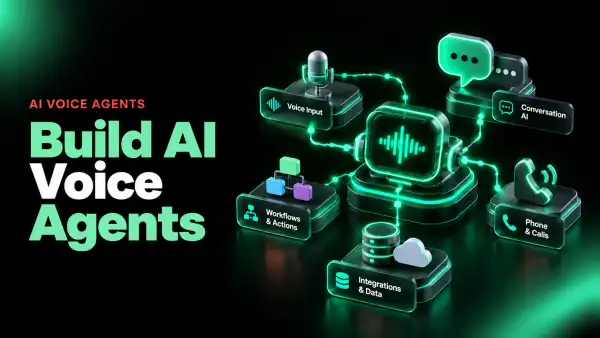
A production AI agent architecture has seven layers: an interface, an orchestrator, the model, a tool layer, memory and knowledge, guardrails, and observability. Demos usually include only the first three, which is why they break when real users arrive. Knowing how to build an AI agent for production mostly means building the last four layers well. If the agent will talk to callers, the pipeline changes; see how to build AI voice agents.
| Layer | Role | Typical components |
|---|---|---|
| Interface | Where users or systems send requests | Chat widget, Slack or Teams app, API endpoint, email inbox |
| Orchestrator | Runs the plan, act, observe loop and routes tasks | Agent framework, state machine, task queue |
| Model | Reasons and decides the next step | Hosted LLM APIs, smaller models for sub-tasks |
| Tools | Lets the agent read and change real systems | CRM, ERP, helpdesk, database, and payment APIs |
| Memory and knowledge | Supplies context and facts | Vector database, document store, session state |
| Guardrails | Limits and checks every action | Permissions, validators, approval queues, content filters |
| Observability | Shows what happened and why | Tracing, logs, evaluation runs, cost dashboards |
Single Agent or Multi-Agent System?
| Factor | Single agent | Multi-agent system |
|---|---|---|
| Best for | One clearly defined job | Several distinct jobs that hand work to each other |
| Complexity | Lower; easier to test and debug | Higher; needs routing and shared state |
| Cost per task | Lower | Higher, because several models run per task |
| Failure risk | Contained to one loop | Errors can pass between agents |
| When to choose | Default starting point | When one agent’s tools or prompt become unmanageable |
Which AI Agent Frameworks Should You Use?
Choose AI agent frameworks based on how much control you need over the agent’s loop, not on popularity. Frameworks speed up the build, but evaluation, guardrails, and clean tool design decide whether the agent works. The most common options are below.
| Framework | Approach | Good fit |
|---|---|---|
| LangGraph | Graph-based, stateful control of each step | Production agents that need precise flow control and human-in-the-loop steps |
| CrewAI | Role-based teams of cooperating agents | Multi-agent workflows with clearly separated roles |
| OpenAI Agents SDK | Lightweight agents with tools and handoffs | Teams standardizing on OpenAI models who want a small toolkit |
| Microsoft Agent Framework | Successor to AutoGen and Semantic Kernel | Organizations building on Azure and the Microsoft stack |
| LlamaIndex | Data and retrieval-first agents | Knowledge-heavy agents built on documents and RAG |
| n8n and similar low-code tools | Visual workflows with AI nodes | Simple agents that mostly connect business apps |
If you would rather hire a team than build in-house, use our guide on how to choose an AI development partner and compare specialist AI agent development companies on production references, evaluation practices, and post-launch support.
How Much Does It Cost and How Long Does It Take to Build an AI Agent?
A custom AI agent typically costs USD 5,000 to USD 65,000 to build, depending on how autonomous it is and how many systems it connects to, with enterprise platforms going beyond USD 120,000. Timelines run from 2 weeks for a single-task agent to 24 weeks for an enterprise platform. Monthly running costs for hosting, model usage, and monitoring add USD 50 to USD 2,500 or more.
| Agent type | Build cost (USD) | Timeline | Monthly infrastructure (USD) |
|---|---|---|---|
| Task agent MVP | 5,000 to 15,000 | 2 to 4 weeks | 50 to 150 |
| Knowledge and action agent | 15,000 to 35,000 | 4 to 8 weeks | 150 to 450 |
| Multi-agent orchestration | 35,000 to 65,000 | 8 to 14 weeks | 350 to 950 |
| Enterprise autonomous platform | 65,000 to 120,000+ | 14 to 24 weeks | 800 to 2,500+ |
Integration depth, data cleanup, and compliance requirements move the price more than the model does. For a line-by-line breakdown, see this guide to the cost to build an AI agent.
What Mistakes Make AI Agent Projects Fail?
Most AI agent projects fail because the job was too broad, the agent was never evaluated on real cases, or nobody owned it after launch. Model quality is rarely the root cause.
| Mistake | What happens | How to prevent it |
|---|---|---|
| Starting with a broad goal | The agent does many things poorly | Give the first agent one job and one metric |
| Agent for a fixed process | Higher cost and less reliability than a script | Use workflow automation where steps never change |
| Vague tool descriptions | The agent calls the wrong tool or wrong parameters | Write precise names, descriptions, and input schemas |
| No evaluation set | Changes silently break working behavior | Test every change against real past cases |
| Full autonomy on day one | Costly wrong actions in production | Start supervised, then expand autonomy as metrics hold |
| No owner after launch | Accuracy drifts and costs creep up | Assign an owner, a dashboard, and a weekly review |
How Does EnactOn Build AI Agents?
EnactOn builds AI agents with Intent-Driven Engineering: senior architects define the agent’s job, tools, guardrails, and success metric in a written specification before development begins. AI accelerates the build under strict human review, and raw AI-generated code never enters production. Every release passes four gates covering functionality, security, performance, and deployment.
-
Proof of concept first. A focused proof of concept typically takes 4 to 6 weeks and tests the agent on your real data.
-
Market-first discovery. Each agent is shaped around the users, regulations, and systems it must work with.
-
Human review at every step. Engineers verify AI-assisted code, prompts, and tool permissions before anything ships.
-
Proven delivery. 13+ years in business, 500+ projects delivered for 350+ clients in 65+ countries, and a 4.8/5 rating on Clutch.
Conclusion
A reliable AI agent is mostly good engineering around a model: a narrow job, clean tools, strict guardrails, honest evaluation, and an owner after launch. Teams that skip those parts end up with impressive demos and expensive production failures.
Use the steps to build an AI agent in this guide as a checklist. Start with one job and a metric, test on real cases before launch, and expand autonomy only as the numbers hold. That is how to build an AI agent that keeps working after the demo.
EnactOn has delivered 500+ projects across 65+ countries over 13+ years, holds a 4.8/5 rating on Clutch, and keeps a 95% client retention rate. Its 80+ in-house engineers, designers, and QA professionals take AI agents from proof of concept to production with human review at every step.
FAQs
What is the easiest way to build an AI agent?
The easiest way to learn how to build an AI agent is to start with one narrow, repetitive task and a low-code tool or a lightweight framework. Connect two or three tools, write a clear system prompt, and test on real examples before adding anything else. Most first agents fail because they try to do too much, not because the tooling is hard.
Can I build an AI agent without coding?
Yes, for simple agents. Low-code platforms let you connect business apps, add an LLM step, and set triggers visually. Agents that need custom integrations, strict permissions, or high reliability usually require code, evaluation pipelines, and proper monitoring.
Which LLM is best for AI agents?
No single model is best for every agent. Choose based on tool-calling reliability, reasoning quality, speed, cost per task, and data privacy terms. Test two or three models on your own cases, and consider a cheaper model for simple sub-tasks.
How long does it take to build an AI agent?
A single-task agent MVP can be built in 2 to 4 weeks. Agents that combine knowledge retrieval with actions take 4 to 8 weeks, and multi-agent systems take 8 to 14 weeks. Enterprise platforms with many integrations can take 14 to 24 weeks.
How much does it cost to build an AI agent?
Build costs typically range from USD 5,000 for a simple task agent to USD 65,000 for a multi-agent system, and more for enterprise platforms. Monthly running costs for hosting, model usage, and monitoring range from about USD 50 to USD 2,500 or more. Integration depth and data preparation are the biggest cost drivers.
What is the difference between an AI agent and agentic AI?
An AI agent is a specific system that completes tasks using an LLM, tools, and memory. Agentic AI is the broader approach of building software that acts autonomously toward goals, often using one or more agents. In practice, agentic AI describes the category and an AI agent is one implementation of it.
Do AI agents need memory?
Most agents need short-term memory to track the current task across steps. Long-term memory is only worth adding when the agent benefits from past interactions, such as user preferences or previous outcomes. Unneeded memory adds cost, privacy risk, and confusing context.
How do you test an AI agent?
Build an evaluation set of real past cases with known correct outcomes, including edge cases. Run the agent against it after every change and track task success, wrong actions, escalations, latency, and cost. After launch, review failed cases weekly and add them to the evaluation set.
Are AI agents safe to connect to business systems?
They are safe when access is tightly controlled. Give the agent least-privilege credentials, require human approval for high-impact actions, validate every tool input, and log every decision. Start in a supervised mode and expand autonomy only as results prove reliable.
Should I build a single agent or a multi-agent system?
Start with a single agent for one well-defined job. Move to a multi-agent system only when one agent’s tool list or instructions become too large to manage reliably. Multi-agent systems cost more per task and are harder to debug.
Can EnactOn build a custom AI agent for my business?
Yes. EnactOn starts with a proof of concept that tests one agent use case on your data, typically in 4 to 6 weeks, then builds the production version with human review at every step. Projects start at USD 5,000, and EnactOn holds a 4.8/5 rating on Clutch.